Log into the CRM
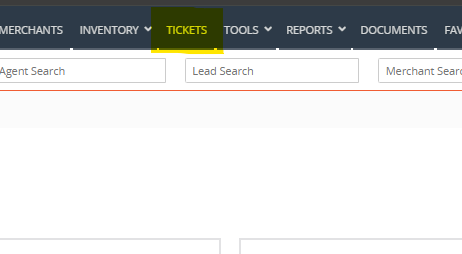
Navigate to the 'Tickets' section by clicking Tickets at the top of the page
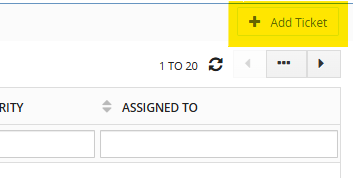
Click '+Add Ticket' in the top-right corner.
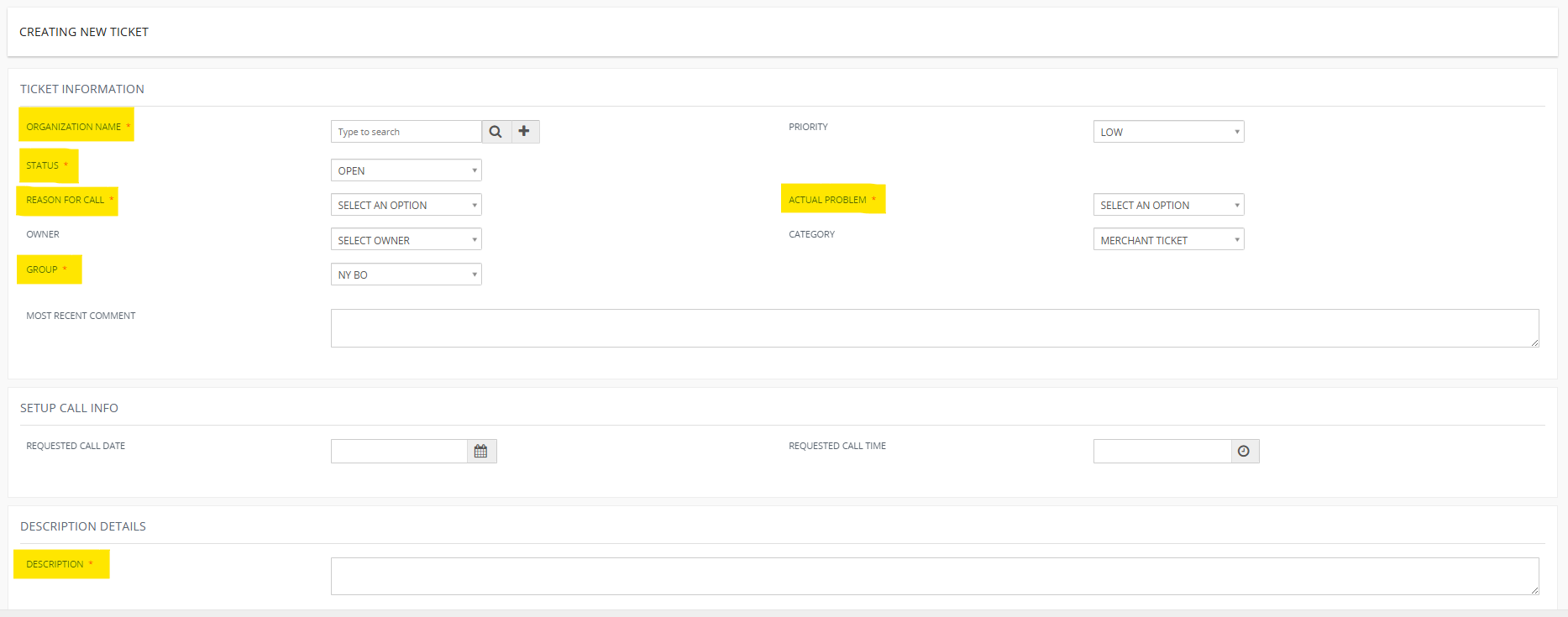
Complete all required fields (marked with a red asterisk):
Organization Name: Enter the merchant by searching the Merchant ID.
Status: Indicate the current completion level of the ticket.
Reason for Call:
Deployment: For shipment-related tickets
Repro: For file build requests
Technical Support: For technical issues
Setup Call: To schedule support for new equipment setup
Group: Select your location — NY Tech or FL Tech Support.
Actual Problem: Match this to the Reason for Call.
Description: Provide a clear, detailed summary of the issue. Include relevant details such as equipment type (for Repro), delivery method (for Deployments), and any special instructions. Be thorough to ensure accurate resolution.
Scroll to the bottom and click 'Save' to submit the ticket.

Was this article helpful?
That’s Great!
Thank you for your feedback
Sorry! We couldn't be helpful
Thank you for your feedback
Feedback sent
We appreciate your effort and will try to fix the article