1) Go to the equipment page in CRM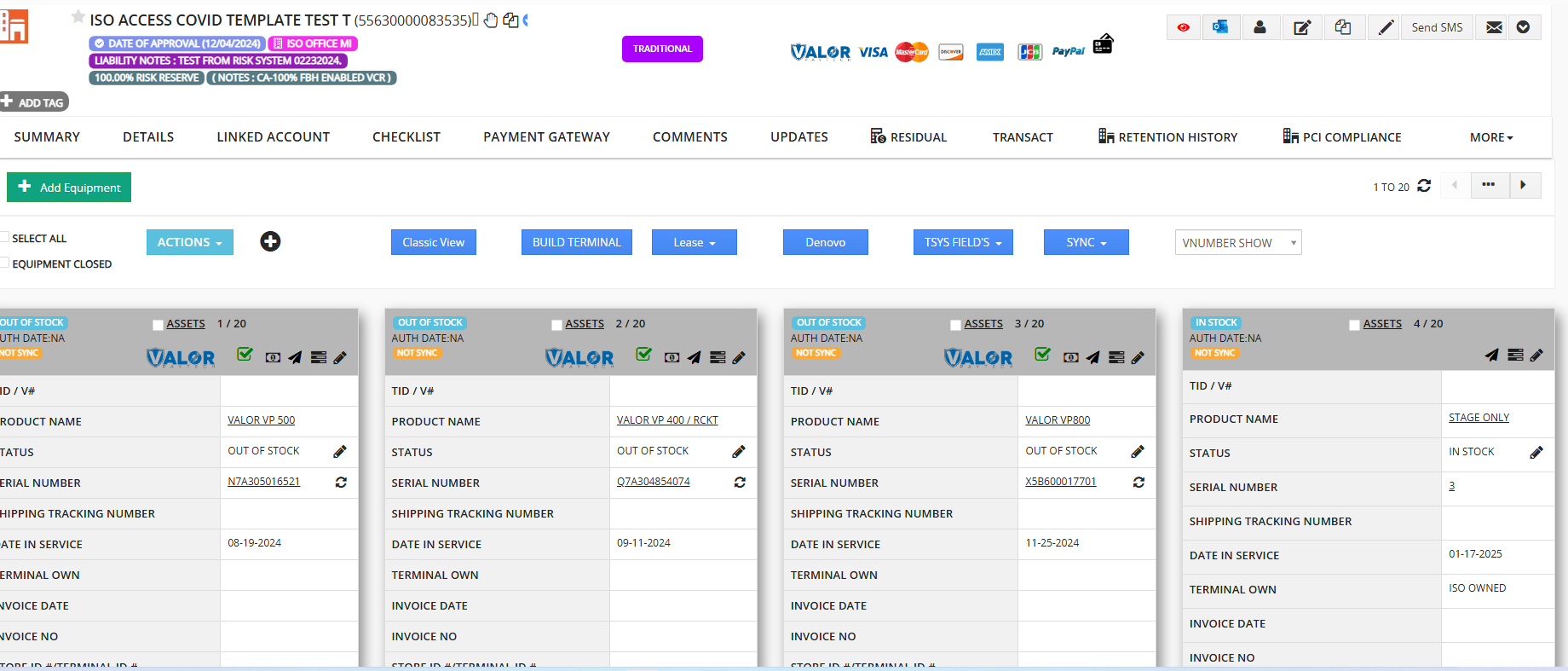
2) Click the Edit option (Pen Icon) available on the top-right of the respective V#.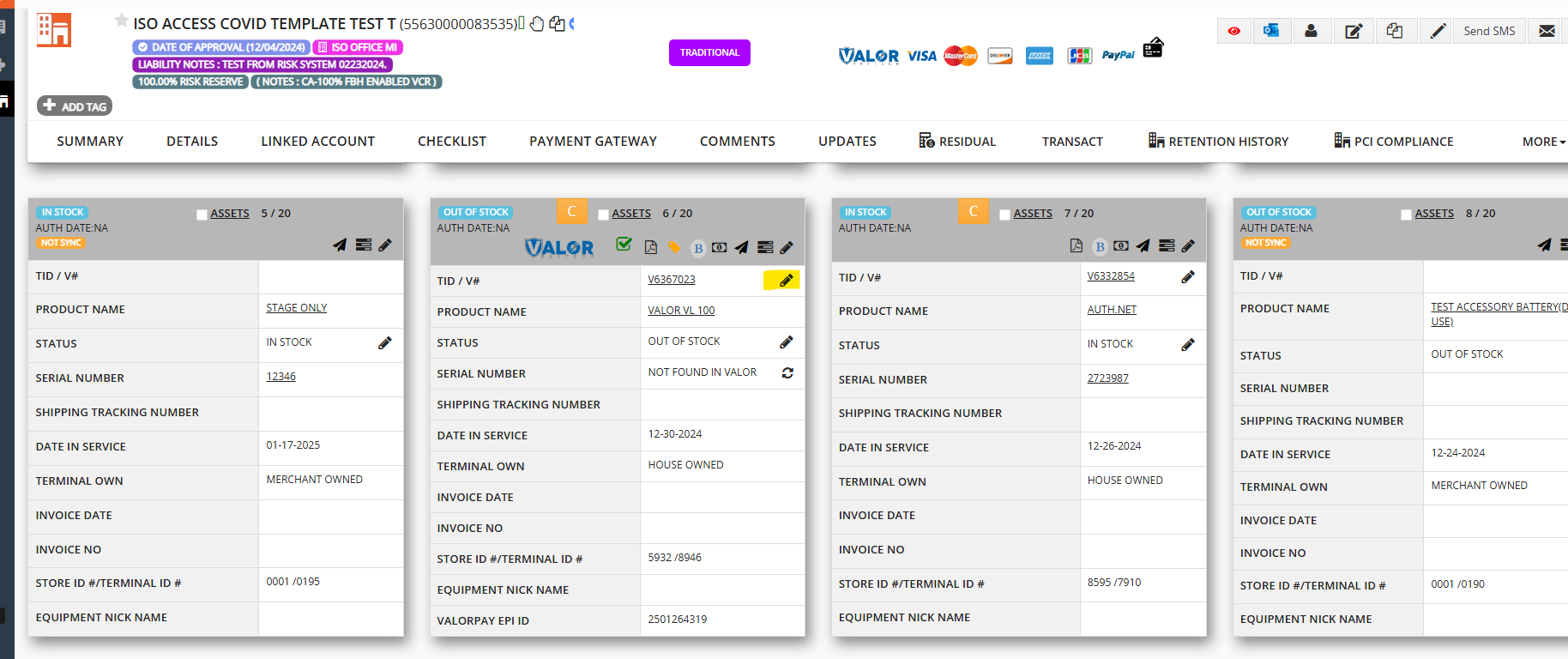
3) Select the “Close profile” checkbox and finally Click “Save” and “Update Terminal.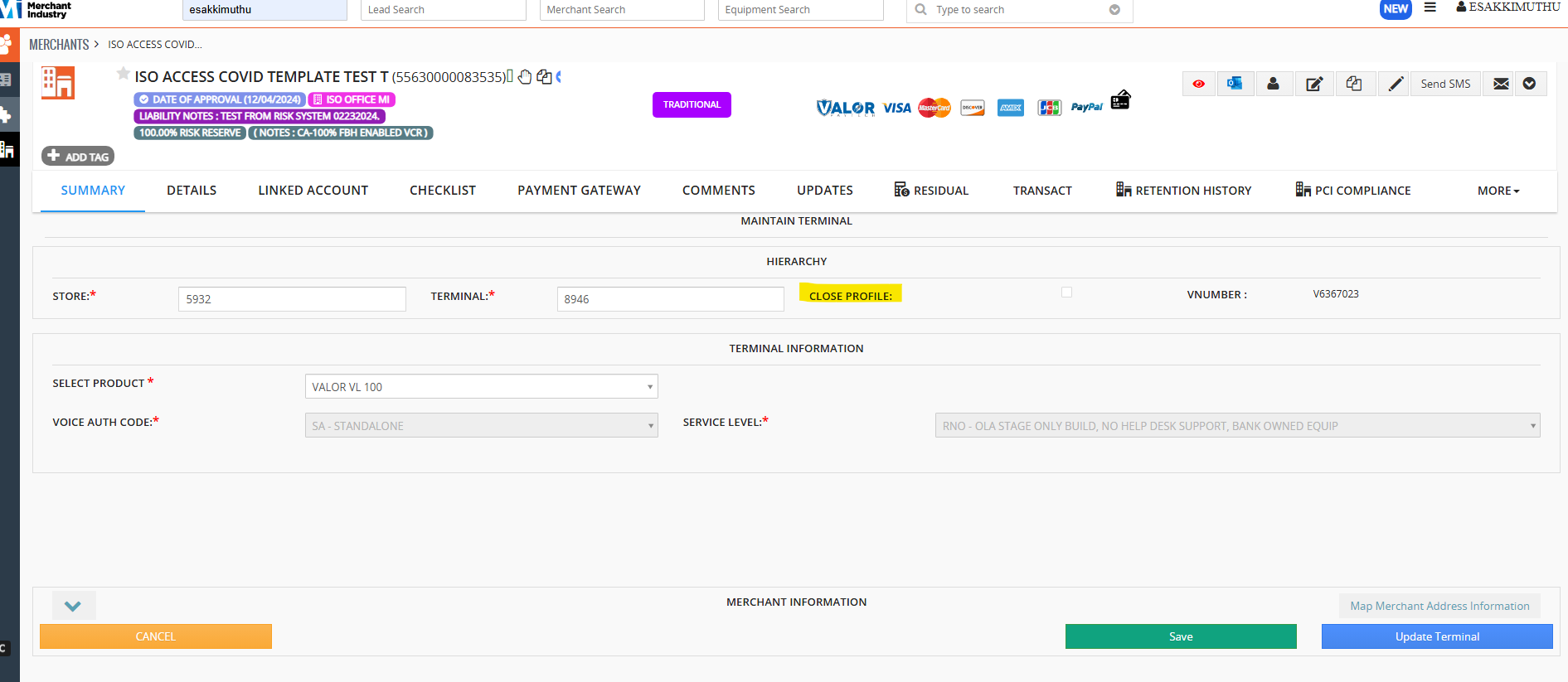
4) V# closed successfully on CRM. A Pop-up will appear on the top of the CRM.
Was this article helpful?
That’s Great!
Thank you for your feedback
Sorry! We couldn't be helpful
Thank you for your feedback
Feedback sent
We appreciate your effort and will try to fix the article