Once on the Homepage of the Selected Merchant,
Head towards the Right hand side and Select More,
Then Click on Equipment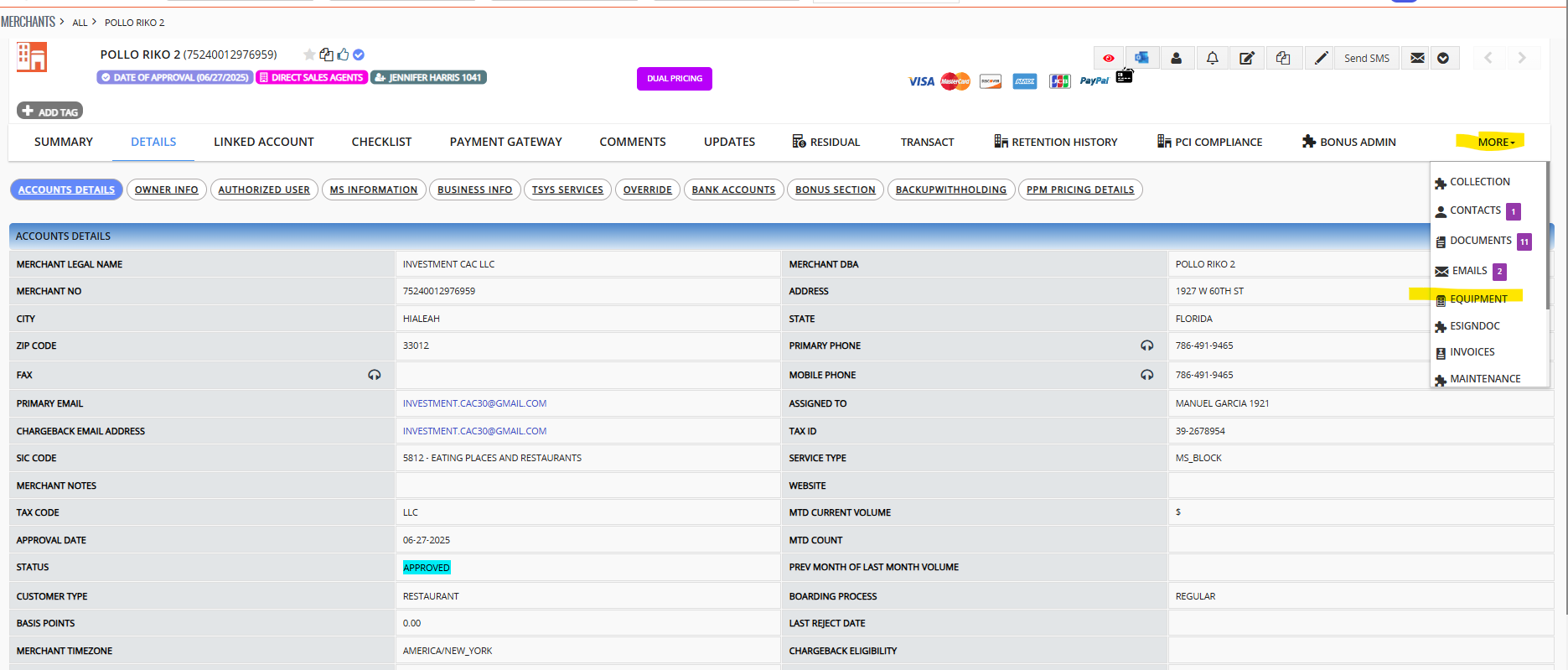
On the next page
Go to the "Select Product" and choose Stage only,
please leave all other settings to defualt unless specified.
Thereafter select "Board Terminal"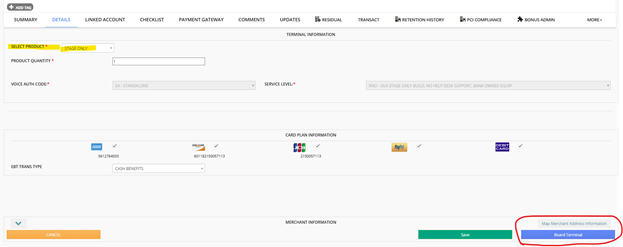
After the new Stage only file has been created.
the page will refesh and display all available equipments.
Click on the PDF Icon to either Download Or open the New Stage Only Var.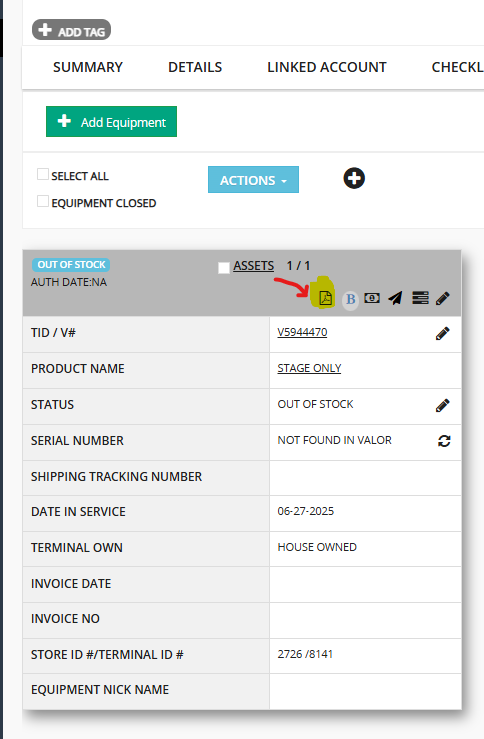
below is an image of the Stage Only Var 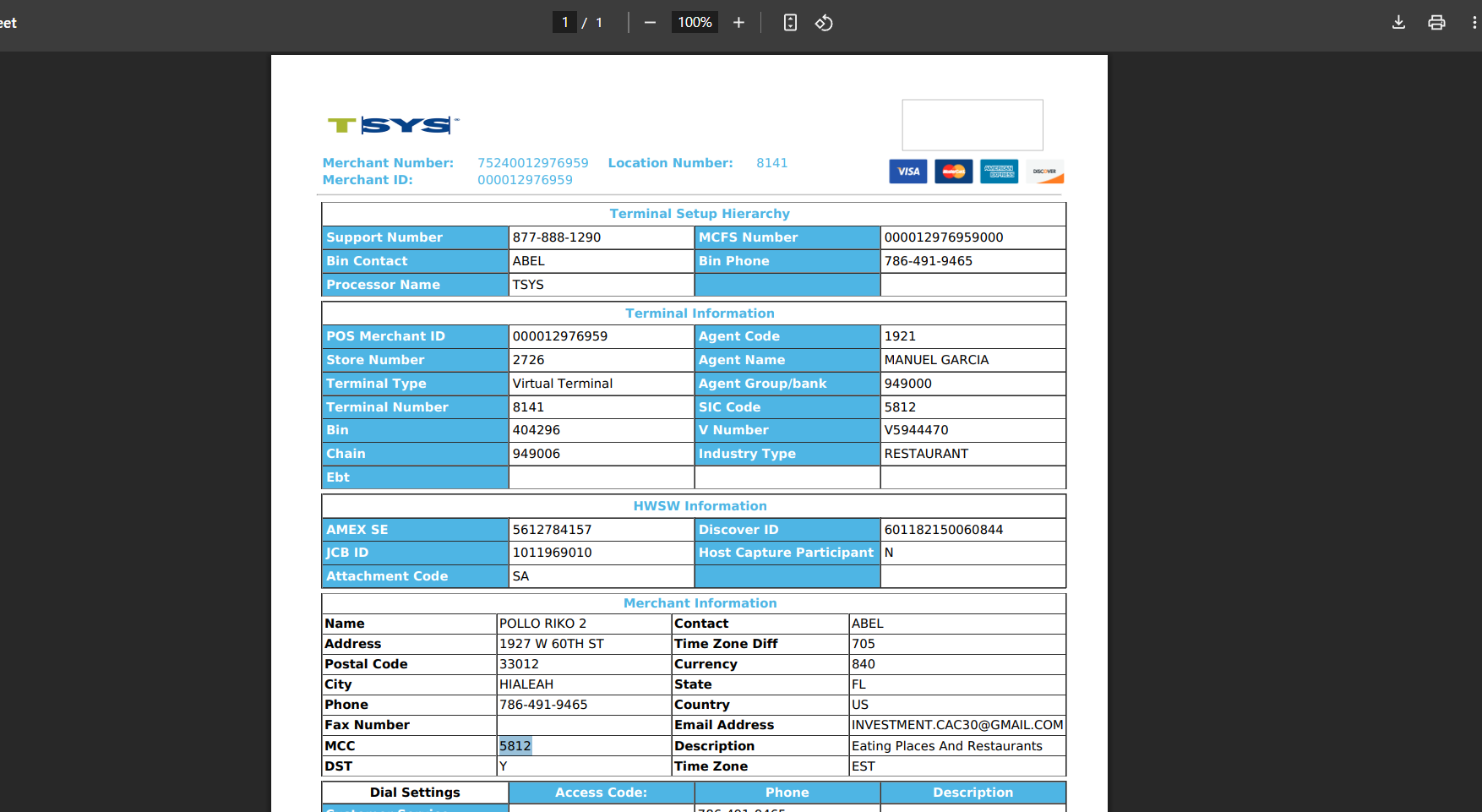
By seeing this screen you have sucessfully Boarded a Stage Only file using the CRM.
P.S this Feature is only Available for TSYS accounts.
Was this article helpful?
That’s Great!
Thank you for your feedback
Sorry! We couldn't be helpful
Thank you for your feedback
Feedback sent
We appreciate your effort and will try to fix the article