Dual Pricing Valor Parameters
The following settings are required for Dual Pricing Accounts using Valor Terminals.
Proceed to the Valor Portal. (online.valorpaytech.com)
Paste an EPI from the account or the DBA into ‘Merchant Management’
Click the three dots on the right hand side of the terminals
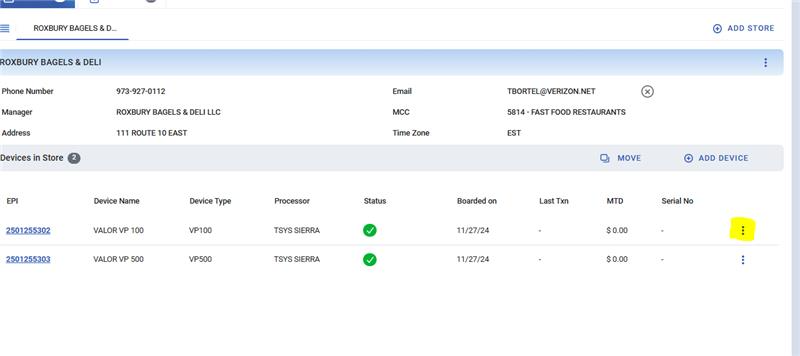
Click ‘Edit’ and fill out the ‘Traditional’ tab using the var sheet from CRM
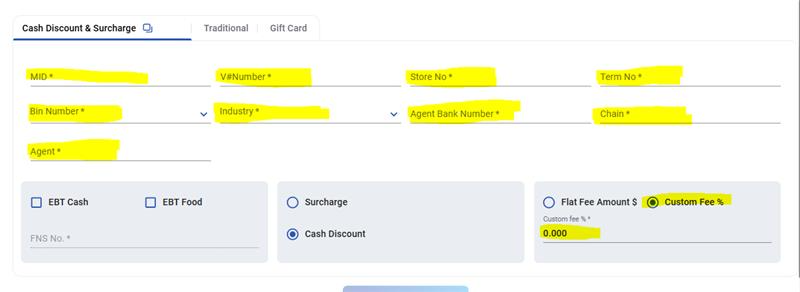
Click ‘save and exit’ once it is completely filled out
Click three dots again then select ‘edit parameter’
Click on the ‘Home Screen’ and select the ‘Dual Pricing’ Option
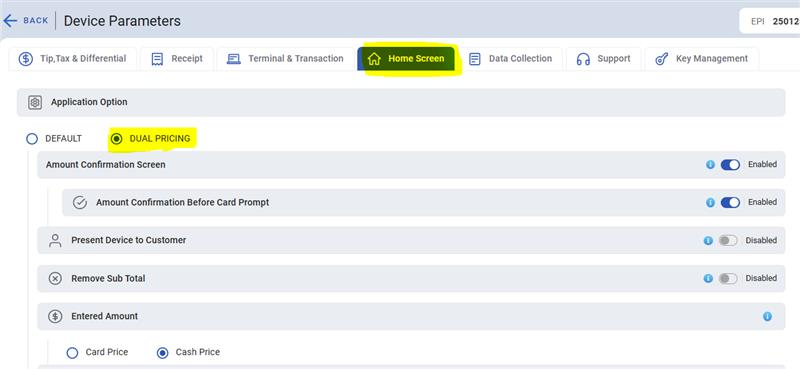
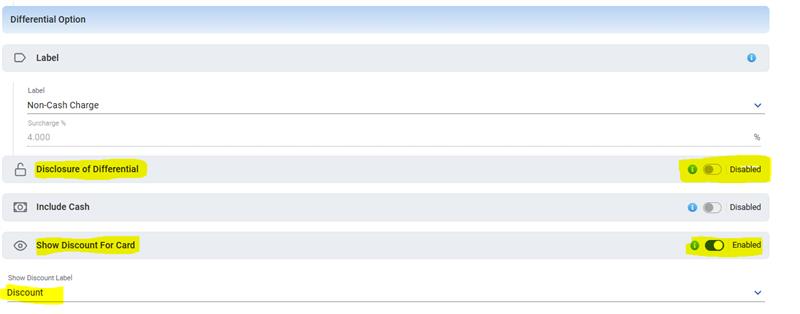
Scroll down:
Disable ‘Disclosure of Differential’
Enable ‘Show Discount for Card’
Set ‘Show Discount for Card’ label to ‘Discount’
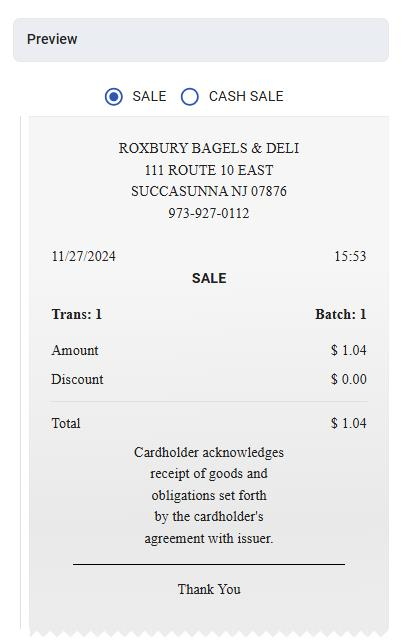
The Receipt preview on right hand side of the screen should look like the receipt shown below:
Tip, Tax, & Fee
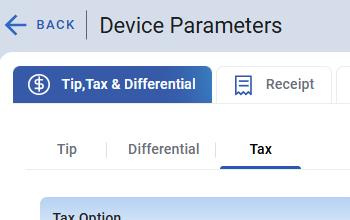
This section is configured as per the iso/merchant request
Receipt
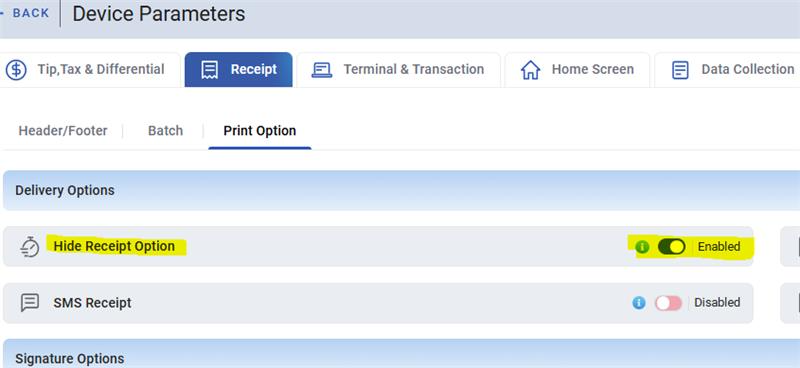
In this section we will only enable 'Hide Receipt Option' to remove feature that shows the option for SMS receipts
Terminal & Transaction
Enable 'Password for refund' input $1 on the line below.
Was this article helpful?
That’s Great!
Thank you for your feedback
Sorry! We couldn't be helpful
Thank you for your feedback
Feedback sent
We appreciate your effort and will try to fix the article