Walkthrough on Recurring Payment (customer end)
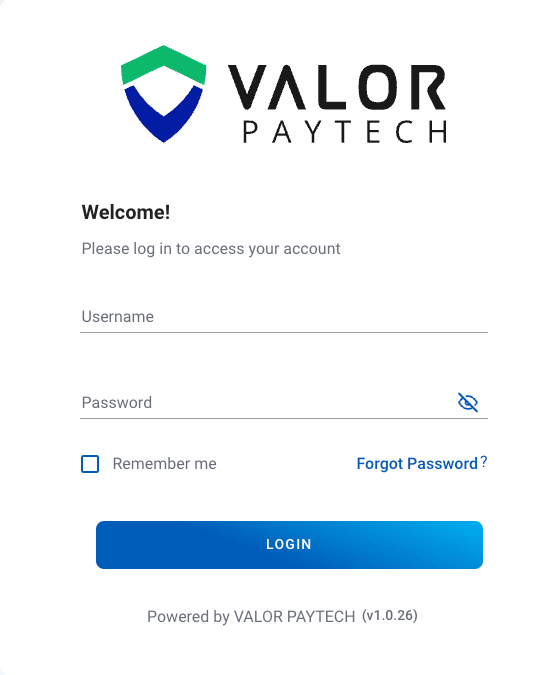
Sign in to your Valor Portal
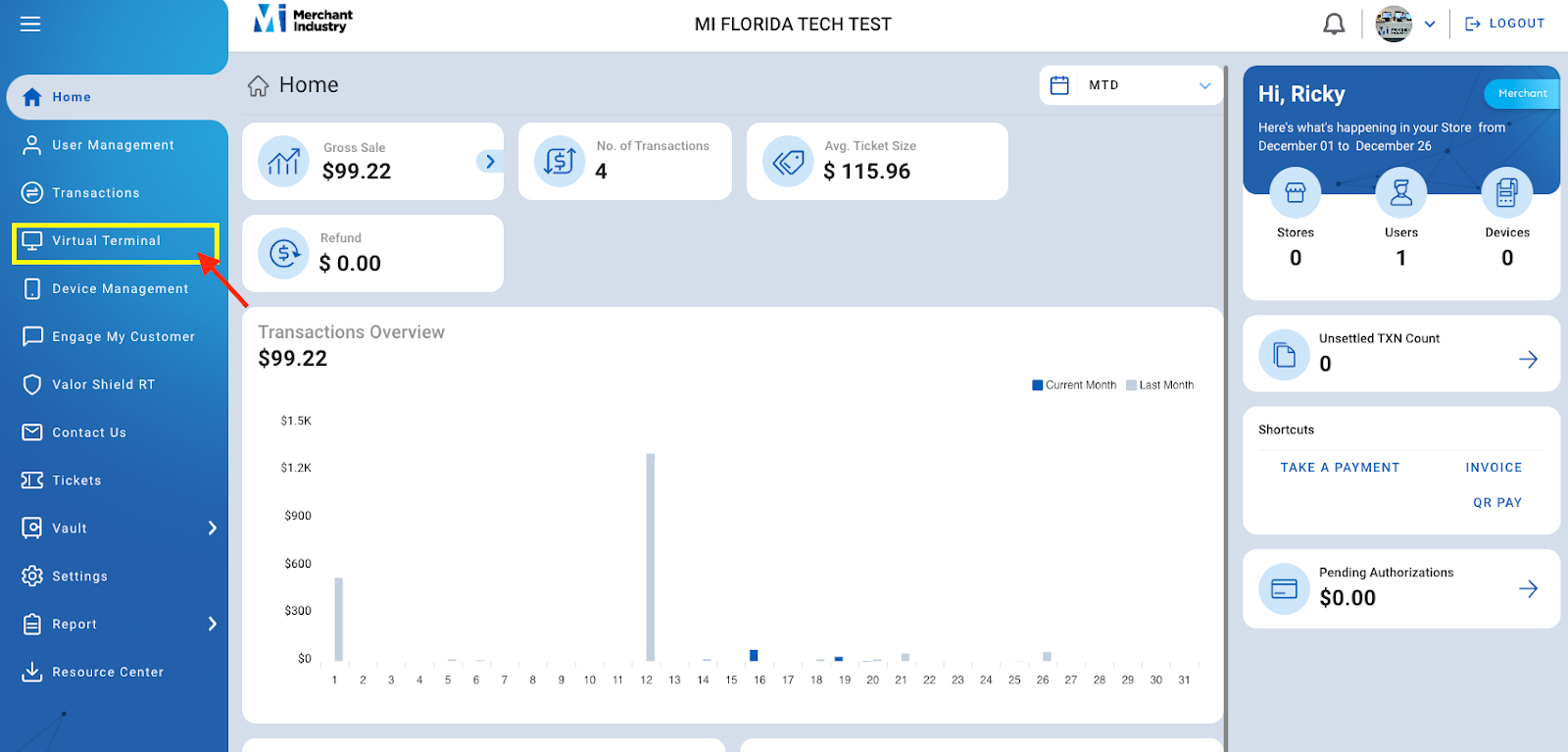
On the left panel click Virtual Terminal
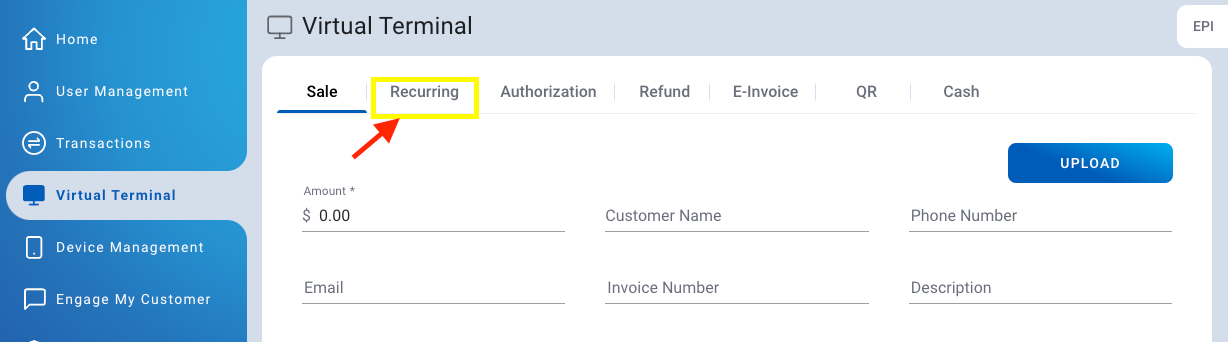
Click on Recurring on the top tabs
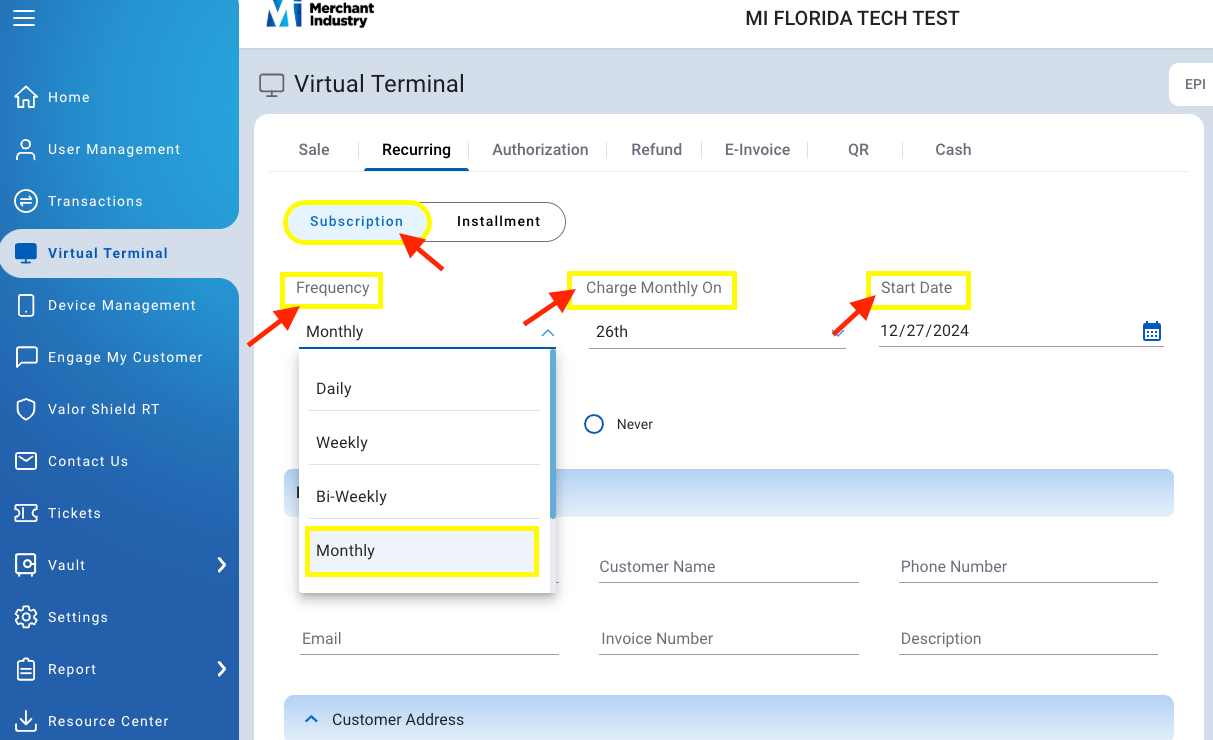
Choose between Subscription & Installment (subscriptions are for ongoing access, and installments are for paying off a one-time purchase over time.) for Subscription.
Choose how frequent the subscription will charge the merchant (Daily, Weekly, Bi-weekly, Monthly, Quarterly or Annually.)
Under Charge Monthly On, choose what day of the month the Customer will be charged.
Start Date is the date this subscription will start.
Under Expires choose after how many months the customer will be paying the subscription. If there isn’t a term selected you can choose Never.

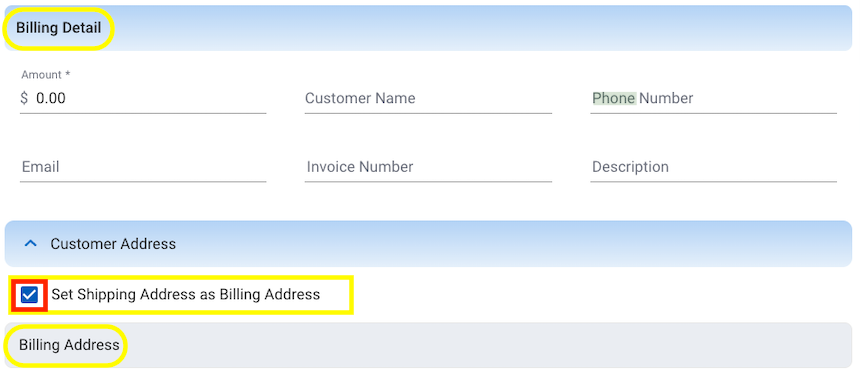
Billing Detail - put in the Amount that the subscription is for & fill in as much detail for Customer Information also fill in Customer Address (Billing Address & Shipping Address) if shipping address is the same as billing address check the box (see picture below for reference)
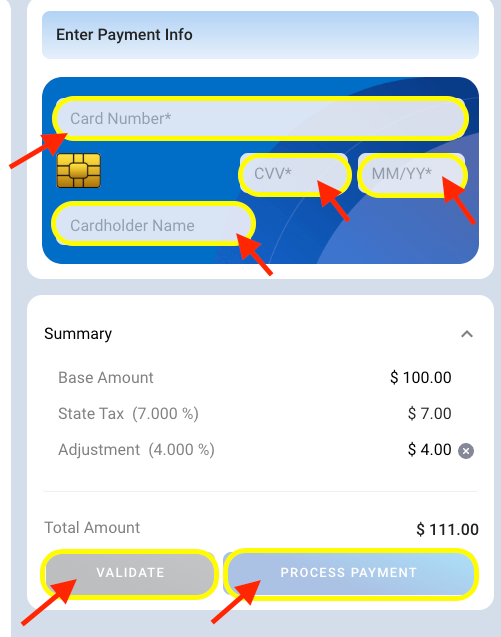
On the right side under Enter Payment Info enter the card information (Card #, CVV, Exp & Cardholder name)
Click VALIDATE to validate payment (doesn’t process payment, it stores it)
Click Process Payment to charge card (remember to only process payment if your going to start subscription)
Was this article helpful?
That’s Great!
Thank you for your feedback
Sorry! We couldn't be helpful
Thank you for your feedback
Feedback sent
We appreciate your effort and will try to fix the article