Once you have recieved the paramter sheet from Valuetec, (Image Example below)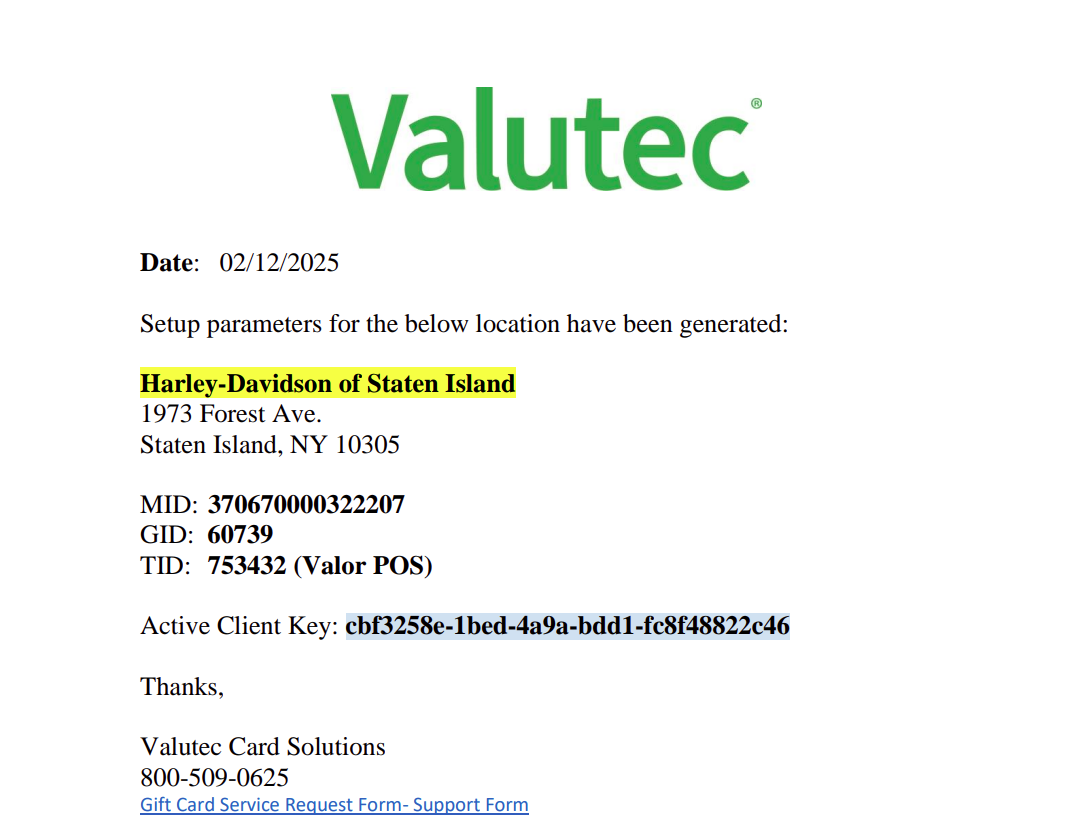
Please go into the Merchant Management Tab to review the EPI you are ready to update and choose "Edit". 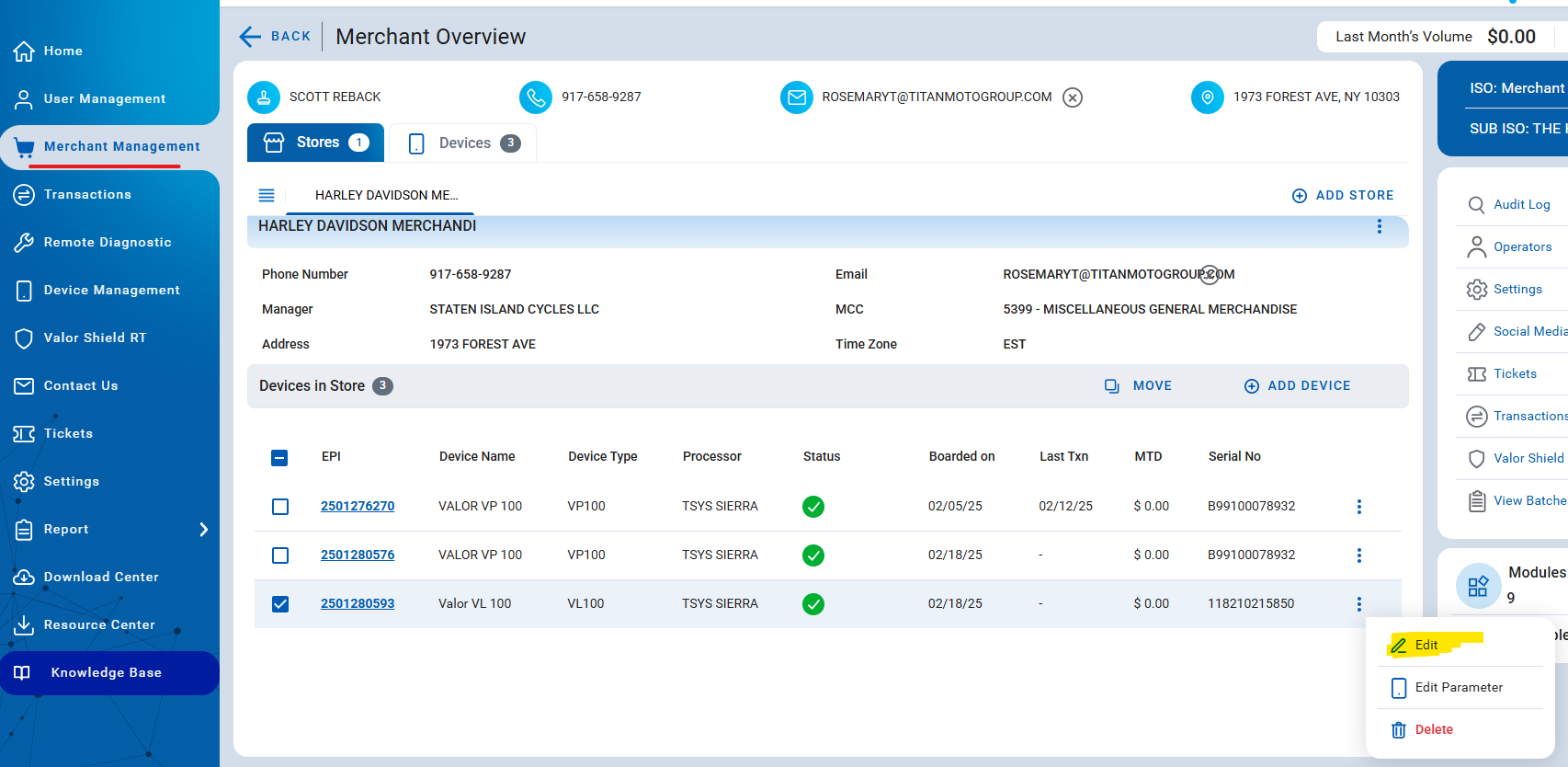
In This new Window Select "Gift Card" and begin to add the Valutec TID and Client Key ID into the boxes.
Select The "Key Group" that coressponds to the hardware series selected for that EPI. (Example: VL Series= Castless Pro, VP Series=Newland.)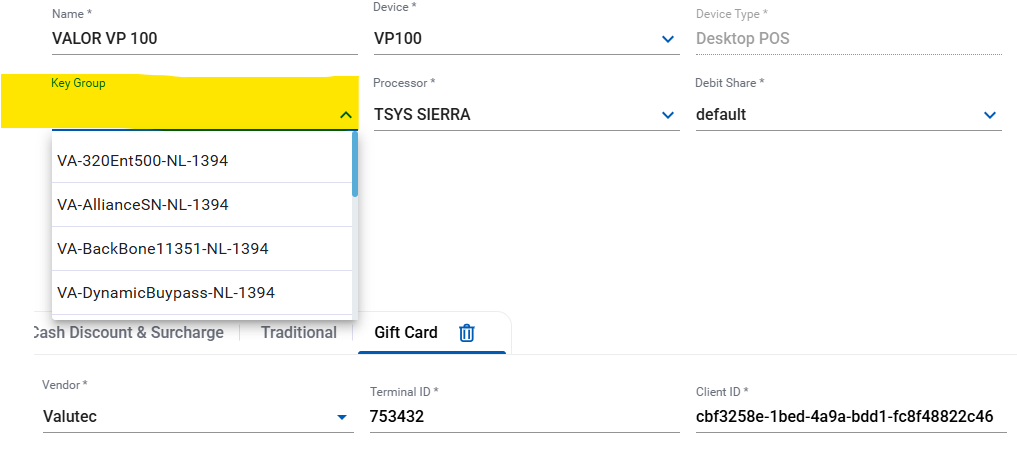
Then Save and Exit, preform a package download to the device and the unit will have the Valutec Gift Card feature enabled.
Now the option for Gift will appear as a payment type.
Was this article helpful?
That’s Great!
Thank you for your feedback
Sorry! We couldn't be helpful
Thank you for your feedback
Feedback sent
We appreciate your effort and will try to fix the article