Purpose
To deactivate and remove an existing SPIn Proxy Connection from a Dejavoo terminal.
Prerequisites
- Access to the Dejavoo Portal.
- Terminal Profile Number (TPN).
- Appropriate user permissions to modify terminal settings.
Procedure
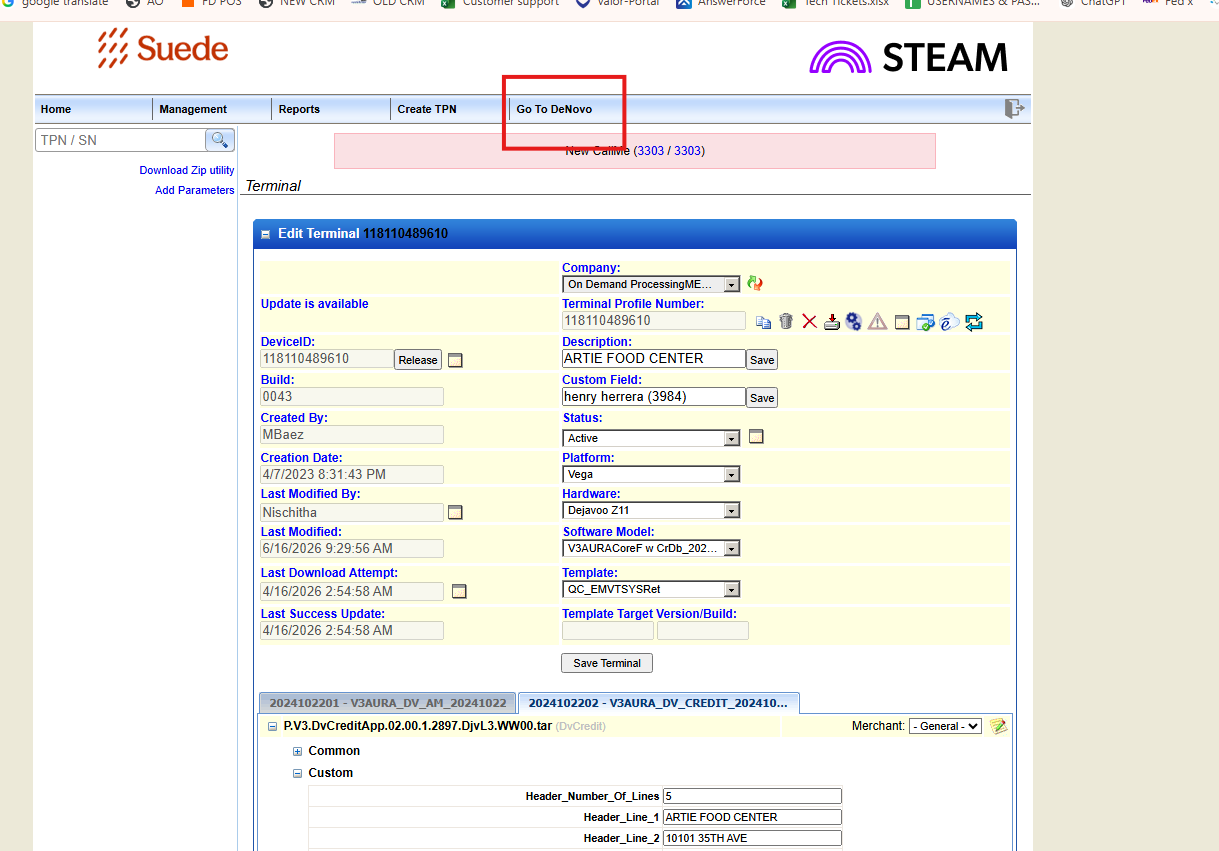
Step 1: Access DeNovo
- Log in to the Dejavoo Portal.
- Click "Go to DeNovo" to access the terminal management interface.
Step 2: Search for the Terminal
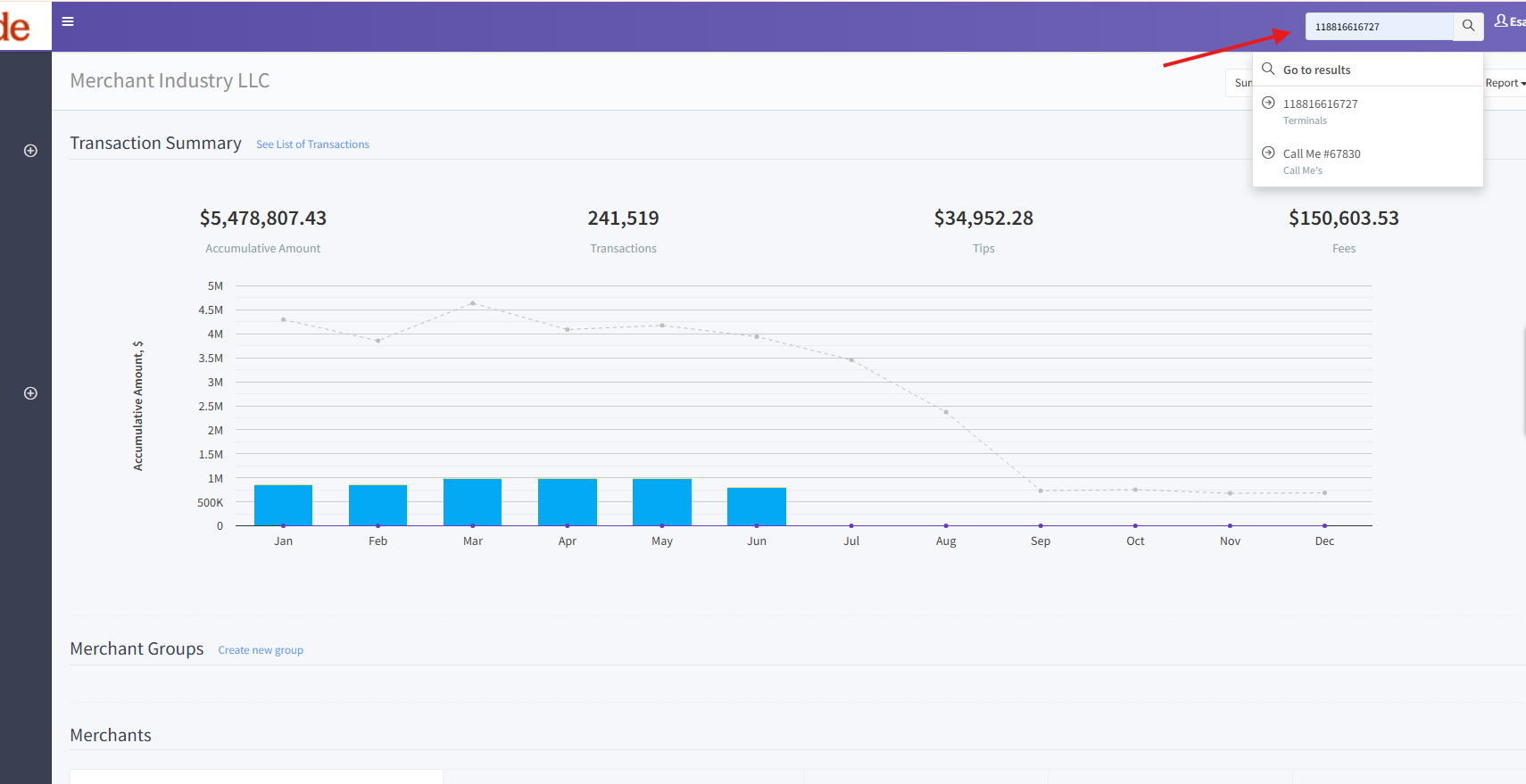
- Locate the search box at the top of the page.
- Enter the TPN (Terminal Profile Number).
- Click Search.
Step 3: Open Terminal Record
- From the search results, locate the appropriate terminal.
- Click on the terminal pop-up/link corresponding to the TPN.
Step 4: Access SPIn Connection Settings
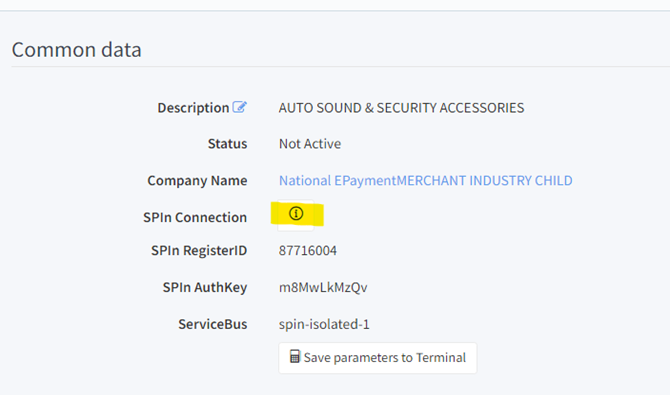
- Within the terminal profile, navigate to the Common Data section.
- Locate SPIn Connection.
- Click the icon/link next to SPIn Connection.
Step 5: Delete the SPIn Proxy Connection
- The SPIn Connection Parameters dialog box will open.
- Review the connection details to ensure the correct configuration is being removed.
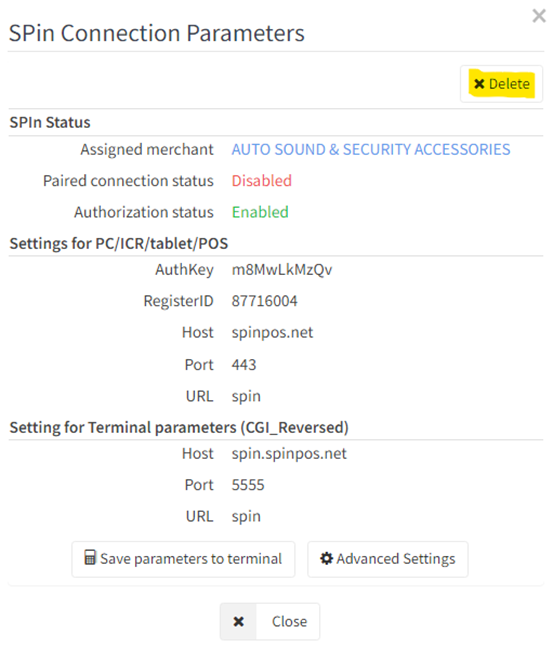
- Click Delete.
Step 6: Confirm Deletion
- A confirmation pop-up will appear.
- Select "Yes, Delete It" to proceed.
Step 7: Verify Completion
- Wait for the system to process the request.
- Confirm that the message indicating successful deletion is displayed.
- Verify that the SPIn Connection is no longer listed under the terminal's configuration.
Expected Result
The SPIn Proxy Connection is successfully removed from the terminal configuration, and the terminal no longer maintains the associated SPIn Proxy Connection settings.
Was this article helpful?
That’s Great!
Thank you for your feedback
Sorry! We couldn't be helpful
Thank you for your feedback
Feedback sent
We appreciate your effort and will try to fix the article