The following settings are required for Traditional Accounts using Valor Terminals.
Proceed to the Valor Portal. (online.valorpaytech.com)
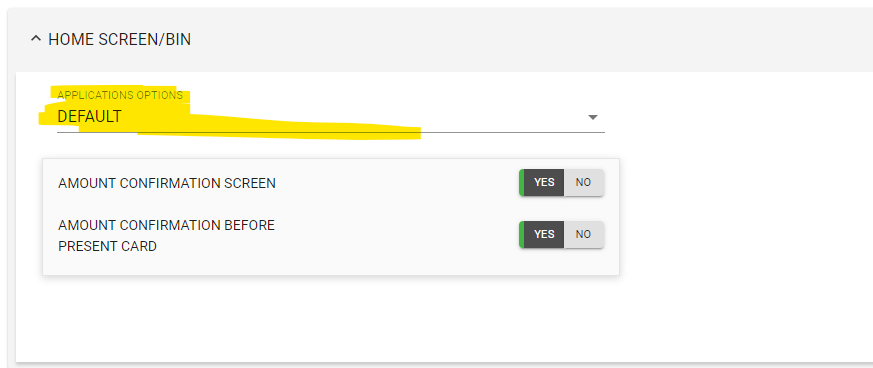
Home Screen/BIN
Scroll down to 'Home Screen/BIN' section be sure that the application type is set to 'Default' for Traditional accounts.
This will configure most of the settings to traditional template.
Proceed to scroll to the top of the page.
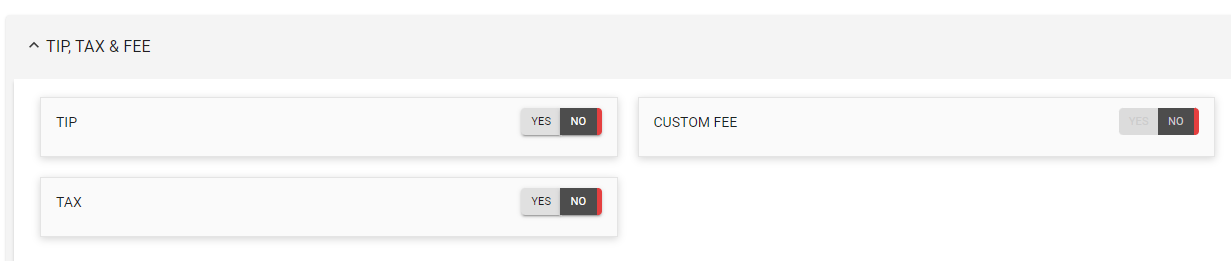
Tip, Tax, & Fee
This section is configured as per the iso/merchant request
Custom Fee is defaulted to be disable being that it is a traditional account.
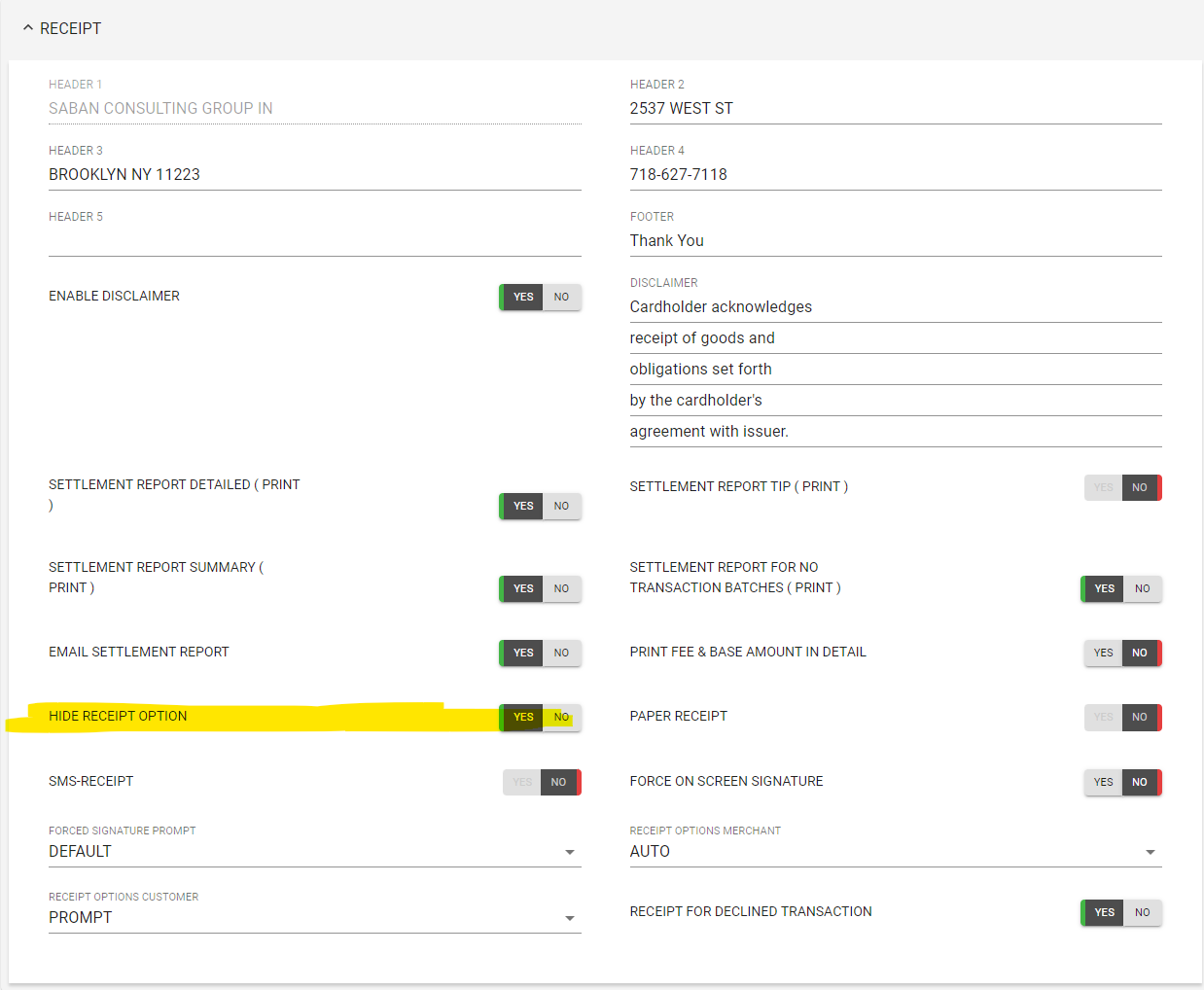
Receipt
In this section we will only enable 'Hide Receipt Option'
Parameter is disabled if merchant would like 'SMS feature'
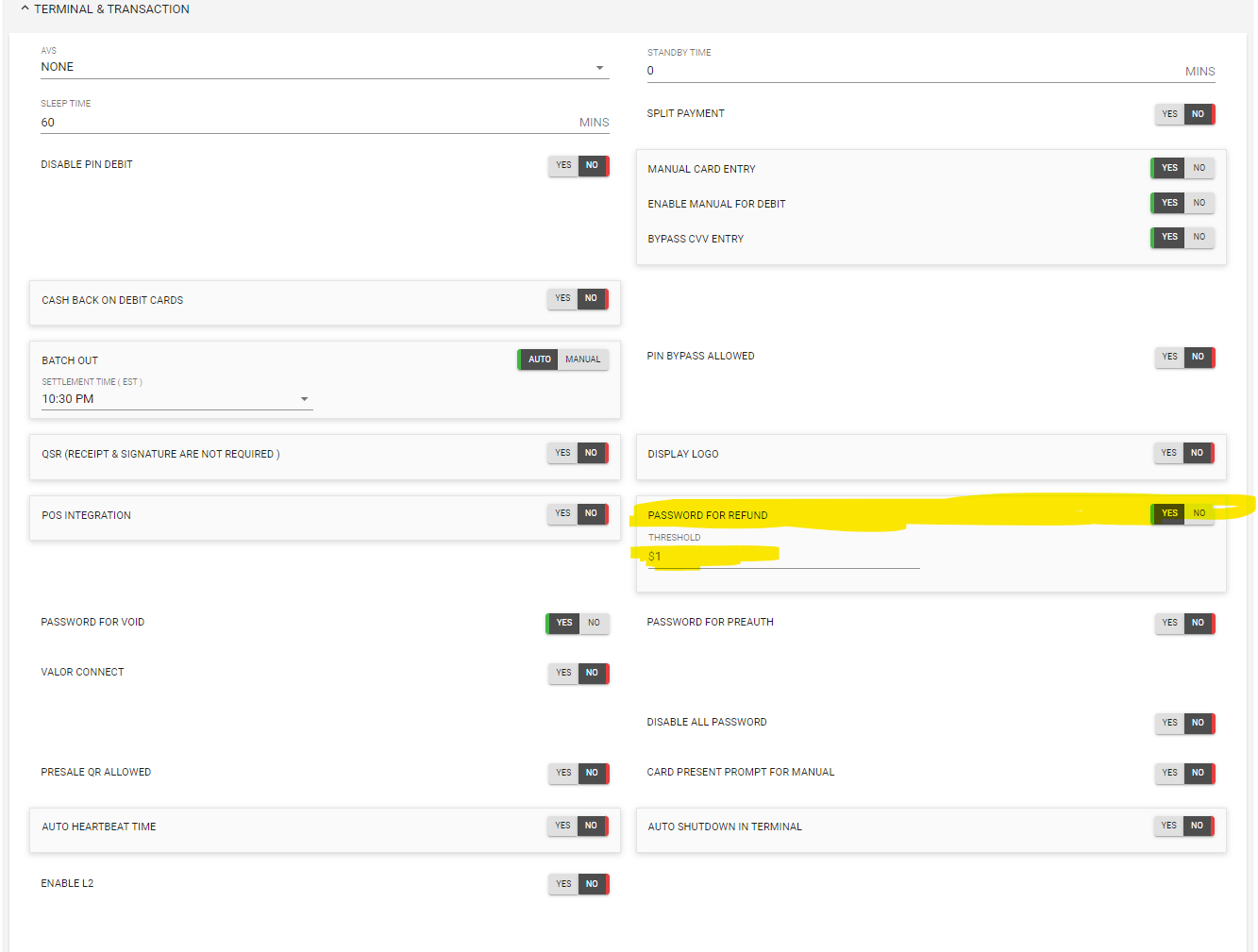
Terminal & Transaction
Enable 'Password for refund' input $1 on the line below.
Value Added Services
Make sure that 'Survey' is disabled.

Was this article helpful?
That’s Great!
Thank you for your feedback
Sorry! We couldn't be helpful
Thank you for your feedback
Feedback sent
We appreciate your effort and will try to fix the article